
CertSec
Your browser notices when a certificate changes. The rest of your programs do not. CertSec notices for them.
What it does
When an application opens a TLS connection it checks the certificate against the system's certificate stores — and so accepts any certificate issued by any authority listed there. That is exactly what makes a man-in-the-middle through a planted CA so quiet.
CertSec instead remembers which certificate a host presented the first time, and speaks up when it becomes a different one. The approach is called Trust On First Use: nothing to configure in advance, but a warning on every change.
When something changes, a dialog shows the old and the new certificate side by side and asks whether that is expected. Certificates do expire and get renewed — the decision stays with you rather than with an automatism.
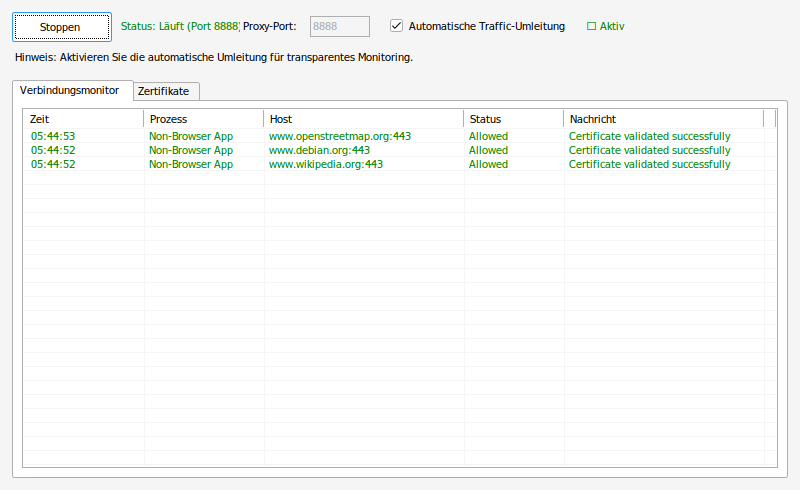
The connection monitor with three connections just observed: each row names the host, the Allowed status and the message that the certificate checked out. The proxy runs on port 8888 above, with the certificates tab beside it.
What you get out of it
- Pinning for programs that bring none of their own.
- Trust On First Use: no list to maintain beforehand.
- A dialog comparing the old certificate with the new one.
- Catches a planted CA that the system has been told to trust.
- Runs locally; the certificate history never leaves the machine.
- Small, with no dependency beyond the .NET Framework.
What people use it for
A corporate machine with its own CA
When a company CA is installed anyway, one more certificate would otherwise pass unnoticed.
Networks you do not own
Hotel, conference, café: exactly where a certificate change is worth seeing.
Programs that never check
Old line-of-business applications, updaters, clients — anything that speaks TLS quietly.
Requirements
- PlatformWindows
- Runtime.NET Framework 4.7.2
- CategorySecurity