
Bookmark View SE
A thousand bookmarks nobody looks at, because they are a list of blue text. As a page of cards with pictures they suddenly look like something you would read.
What it does
Bookmark View SE finds your installed browsers by itself — Chrome, Chromium, Edge and Firefox — and reads their bookmarks. Entries that exist in more than one browser are merged rather than shown twice.
It then fetches a title, description and preview image for each entry in the background and keeps them in a local database for seven days. The list of links becomes a grid of cards, with a larger one at the top.
Search covers title, URL, description and domain at once. Your browser folders survive as a two-level category filter, and folders can be created, renamed and deleted from inside the program — the change lands in the browser.
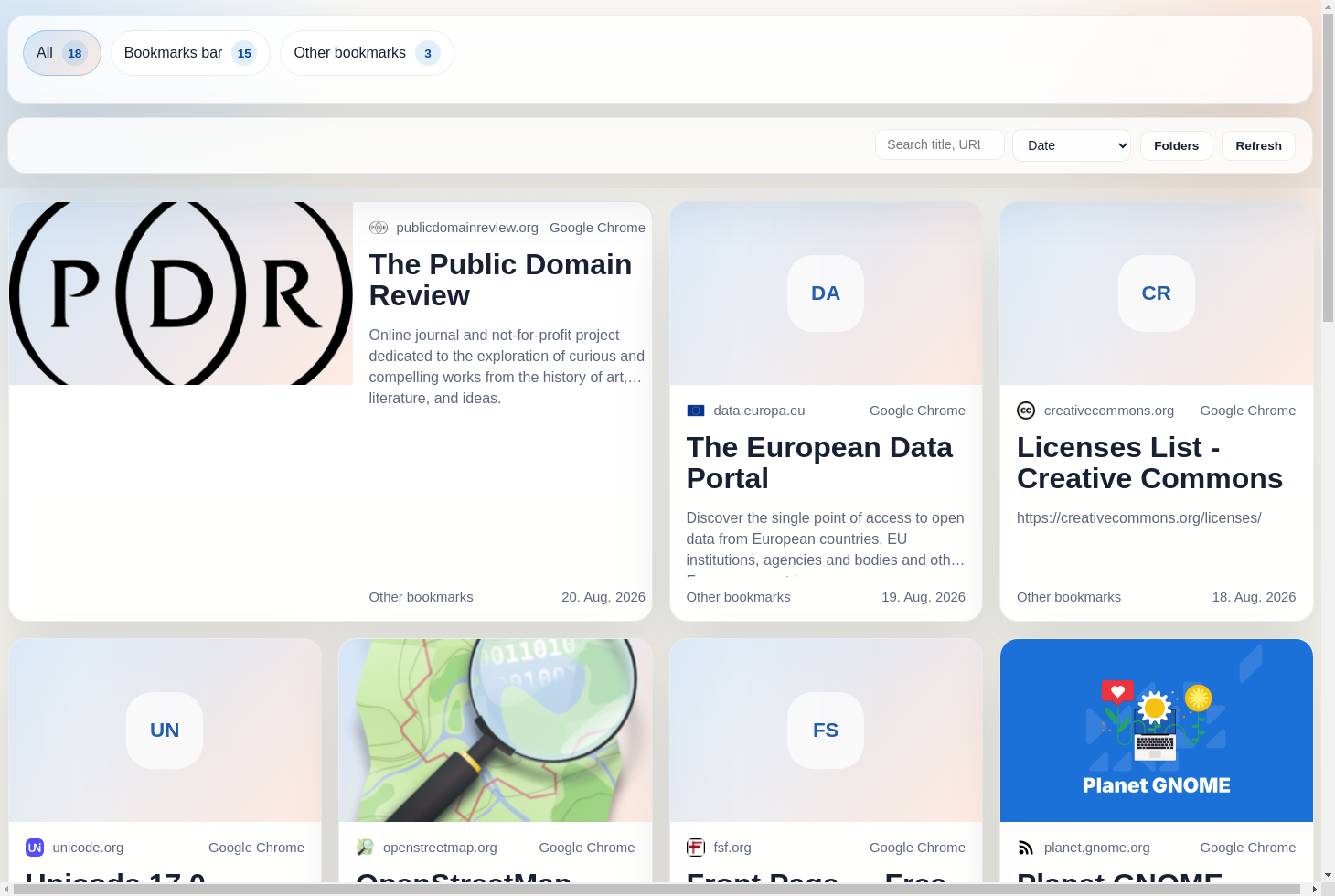
Bookmarks as a grid of cards with a preview image, title and description. The folders and their counts run along the top, with search and sorting beside them.
What you get out of it
- Chrome, Chromium, Edge and Firefox are detected automatically.
- Duplicates across browsers are merged.
- Preview images and descriptions, fetched in the background and cached locally.
- Full-text search over title, URL, description and domain.
- Create, rename and delete folders straight in the browser profile.
- Dark mode follows the system setting.
What people use it for
The bookmark graveyard
Years of collecting become searchable and worth looking at again.
Sorting research
Two-level filters over your folder structure, without digging through a browser's bookmark manager.
More than one browser
Edge for work, Firefox at home — here they sit side by side.
Requirements
- PlatformWindows, Linux
- RuntimeElectron
- CategoryInformations